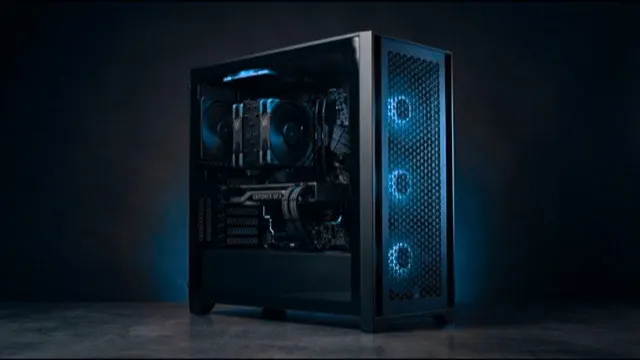
Fusion Studio 200
16GB card, 12 high-clock cores, 32GB
Editing and rendering scenes that fit in 16GB.
- Processor
- AMD 12 Core Processor
- Graphics
- Palit 16 GB Vram graphics card
- Memory
- 32GB High speed memory
- Form
- Tower, desk-side
Graphics & Rendering
The graphics card and clock speed matter most.
Our machines
16GB card, 12 high-clock cores, 32GB
Editing and rendering scenes that fit in 16GB.
32GB card, 16 high-clock cores, 64GB
Heavy scenes, 8K timelines and large texture sets.
Side by side
| Specification | ||
|---|---|---|
| Best for | Editing and rendering scenes that fit in 16GB. | Heavy scenes, 8K timelines and large texture sets. |
| Processor | AMD 12 Core Processor | AMD 16 Core Processor |
| Graphics | Palit 16 GB Vram graphics card | Palit 32 GB Vram graphics card |
| Memory | 32GB High speed memory | 64GB High speed memory |
| Storage | 2TB total | 4TB total |
| Form | Tower, desk-side | Tower, desk-side |
| Actions |
Before you choose
A scene that does not fit on the card renders far slower, or not at all.
Scrubbing, previews and modelling run on one fast core.
Previews and caches need system memory and a separate fast drive.
Tell us your software and your largest job. An engineer replies within one working day.